When large language models first entered the design conversation, excitement spread fast. Headlines promised automated components, instant documentation, and entire interfaces generated in seconds. For design systems teams, however, the reaction was far more cautious. In many cases, it was openly dismissive.
By the end of 2024 and into early 2025, the prevailing mood across the design systems community was skepticism. Not because teams were resistant to new tools, but because the proposed use cases failed to address the real work of maintaining a system. Writing a button component or generating generic documentation was never the hard part. Those problems were already solved.
Design systems teams spend most of their time on less visible work. They manage change. They reduce friction between design and engineering. Also, they maintain trust across an organization as products evolve. Early AI demos did not help with any of that.
Recently, that perception has started to shift. Not because LLMs suddenly became creative directors or system architects, but because teams began using them where they actually add value. Instead of replacing judgment, they support execution. Instead of creating new artifacts, they help maintain existing ones.
This article focuses on three practical ways LLMs can support design systems teams today, starting with the most impactful and least glamorous work of all.
Why Writing Components and Docs Was Never the Real Problem
Most AI conversations around design systems started in the wrong place. They focused on outputs rather than outcomes.
Generating a component is rarely a meaningful challenge for a mature system. Input fields, buttons, modals, and dropdowns already exist in countless libraries. Most design systems teams already have multiple versions of these components in production, refined through years of iteration.
Documentation suffers from a similar misconception. While LLMs can technically write documentation, the output often lacks what teams actually need. Generic definitions like “An input is a field where users enter text” do not help designers or engineers make better decisions. What matters is context. When should this component be used. When should it not. How does it behave in edge cases. How does it fit into larger patterns.
That type of guidance comes from lived experience, tradeoffs, and product constraints. It cannot be inferred from public examples alone.
The real work of design systems happens elsewhere. It lives in migrations, refactors, alignment conversations, maintenance, and follow through. These are the tasks that keep systems useful but rarely receive attention or recognition.
This is also where LLMs quietly excel.
Where LLMs Fit Best in Design Systems Workflows

The most effective way to think about LLMs in a design systems context is not as creators, but as accelerators.
They are particularly strong at pattern recognition, repetitive transformations, and generating structured output based on existing rules. They do not replace decision making, but they dramatically reduce the effort required to act on those decisions.
Design systems teams often operate with limited capacity while supporting many product teams. Any tool that helps reduce invisible labor without compromising quality is valuable.
When used intentionally, LLMs help systems teams scale their impact without increasing burnout. They make it easier to keep promises the system already makes, rather than inventing new ones.
The first and most practical place this shows up is in managing change.
Practical Use Case 1: Supporting Refactors Migrations and Version Changes
Every design system evolves. Tokens are renamed. APIs change. Components are deprecated. New variants are introduced. None of this is optional. It is the cost of improving a system over time.
Unfortunately, every improvement creates work downstream. Product teams must update their code. Designers must adjust usage. Engineers must refactor implementations. Even small changes can ripple across dozens of repositories.
This is where design systems teams often feel stuck. They know the system needs to improve, but they also know how disruptive change can be. Many teams delay necessary updates simply because supporting the migration feels overwhelming.
LLMs help relieve that pressure.
Why refactors are painful for product teams
Most migrations are not intellectually difficult. They are tedious. They require searching for old tokens, updating references, adjusting props, and validating that nothing broke. This work competes directly with feature development and roadmap commitments.
As a result, migrations are often postponed or partially completed. This leads to fragmentation, where multiple versions of the system coexist indefinitely.
How LLMs help automate repetitive migration work
LLMs excel at recognizing patterns across large codebases. When paired with existing developer tooling, they can assist with tasks such as identifying deprecated tokens, suggesting updated equivalents, and applying consistent changes across files.
Design systems teams are already using LLMs to support codemods that update APIs automatically. In some cases, they generate migration scripts. In others, they suggest changes directly inside pull requests.
The key is not that the LLM understands the design system. It does not. The value comes from applying rules that humans have already defined, faster and at greater scale.
Examples of real tasks LLMs can support
LLMs can help generate migration guides and changelogs based on actual changes in the system. They can draft release notes that clearly explain what changed and why. They can even notify teams proactively when updates affect their code.
Some teams are experimenting with LLMs that open draft pull requests for simple migrations. These are reviewed by humans, but the initial effort is removed.
This transforms migrations from a heavy burden into a manageable process.
Why this builds trust instead of hype
Trust is the currency of design systems. When teams see that system updates are supported, documented, and made easier to adopt, confidence increases.
LLMs shine here because they handle work that would otherwise be ignored or deprioritized. They do not replace expertise. They support it.
Instead of promising magic, this use case delivers reliability.
Practical Use Case 2: Exploring Real Interaction Earlier in the Design Process
One of the quiet failures of traditional design workflows is how late real interaction gets tested. Most teams still rely heavily on static mocks and prototypes to communicate ideas. These artifacts are useful, but they are also limited. No matter how polished a mock looks, it cannot fully capture how an interface behaves once it is alive in a browser or app.
Design systems exist to create predictable, usable experiences. Yet many interaction issues only surface after engineering work has already begun. At that point, fixing them is expensive and frustrating.
This is where LLM powered tools are starting to change the workflow.
Why static mocks fail to capture real behavior
Static designs show how something looks, not how it feels. They do not reveal what happens when a user clicks too quickly, navigates out of order, or encounters unexpected states. Transitions, focus management, error handling, and motion all play a role in how an interface is perceived.
Designers can attempt to simulate these interactions in prototyping tools, but there is always a gap between mock behavior and real browser behavior. That gap is where misunderstandings creep in.
Design systems teams often see this problem downstream. A component technically matches the design but still feels wrong in practice. The issue is not visual. It is behavioral.
How LLM powered tools enable interaction testing
New tools powered by LLMs allow teams to explore interactions much earlier. Designers and product managers can describe flows, screens, and transitions in natural language and quickly generate interactive prototypes that run in real environments.
These prototypes support basic routing, state changes, and interactions. They allow teams to click through flows, trigger errors, and experience motion rather than imagining it.
The output is not production code and it does not need to be. Its purpose is learning, not shipping.
The alignment advantage for design product and engineering
This approach creates a powerful alignment effect. When teams interact with a working flow, gaps in requirements become obvious. Edge cases appear naturally. Assumptions are challenged early.
Instead of debating screenshots, teams discuss behavior. Instead of waiting for staging builds, they validate ideas during the design phase.
Design systems teams benefit because this exploration exposes where existing components fall short or where new patterns are needed. It also helps avoid building components that look correct but behave poorly.
Why this is not about production ready code
There is often anxiety around LLM generated interfaces because they are not production ready. That concern misses the point.
The goal is not to replace engineering. The goal is to shorten feedback loops. By testing interactions earlier, teams make better decisions before committing to implementation.
This leads to fewer revisions, clearer requirements, and stronger alignment between design intent and final behavior. Design systems exist to support exactly this kind of clarity.
Practical Use Case 3: Keeping System Examples Accurate and Trustworthy
If there is one thing that quietly erodes trust in a design system, it is outdated examples. Teams rely on examples to understand how components should be used in real situations. When those examples fall behind reality, confusion spreads quickly.
Most design systems teams know this pain well. Someone asks a question in Slack. The answer starts with “Yes, that story is outdated” followed by a workaround explanation. Over time, teams stop checking the system first and rely on tribal knowledge instead.
Keeping examples current is one of the most valuable services a design system provides and one of the most exhausting to maintain.
Why outdated examples quietly destroy trust
Design systems succeed when teams believe them. The moment examples no longer match production behavior, credibility drops. Designers hesitate to follow guidance. Engineers second guess implementation details. The system becomes a reference of last resort rather than a first stop.
Unlike bugs or missing components, outdated examples are subtle. They do not break builds. They break confidence.
Updating them manually is tedious. Variants change. APIs evolve. Edge cases expand. Documentation tools and Storybook files drift out of sync with the codebase.
This is exactly the kind of work that LLMs are well suited to support.
How LLMs support story and example maintenance
LLMs can help generate and update example stories based on existing component definitions. They can assist with creating variants, layout demonstrations, and usage scenarios without starting from scratch every time.
When a component changes, an LLM can help identify which examples need updates. It can suggest revised props, regenerate demo states, and even assist with updating descriptive text to match new behavior.
The human still reviews and approves the result. The difference is speed and consistency.
Reducing manual effort in Storybook and documentation
Writing and maintaining Storybook stories is rarely enjoyable work. It is important, but repetitive. LLMs reduce friction by handling boilerplate and pattern based updates, allowing systems teams to focus on intent rather than mechanics.
Some teams are already using LLMs inside editors to speed up story creation. Others are experimenting with tools that automatically generate stories based on component changes.
Even incremental support here pays dividends. The easier it is to keep examples fresh, the more likely teams are to trust and use them.
The future of automated example validation
The next step is automation that watches for change. When a component updates, an agent flags mismatched stories or regenerates them automatically. When visual output shifts, screenshots and tests update alongside it.
This future is closer than it seems and it targets one of the biggest trust gaps in design systems today.
What LLMs Still Cannot Do for Design Systems
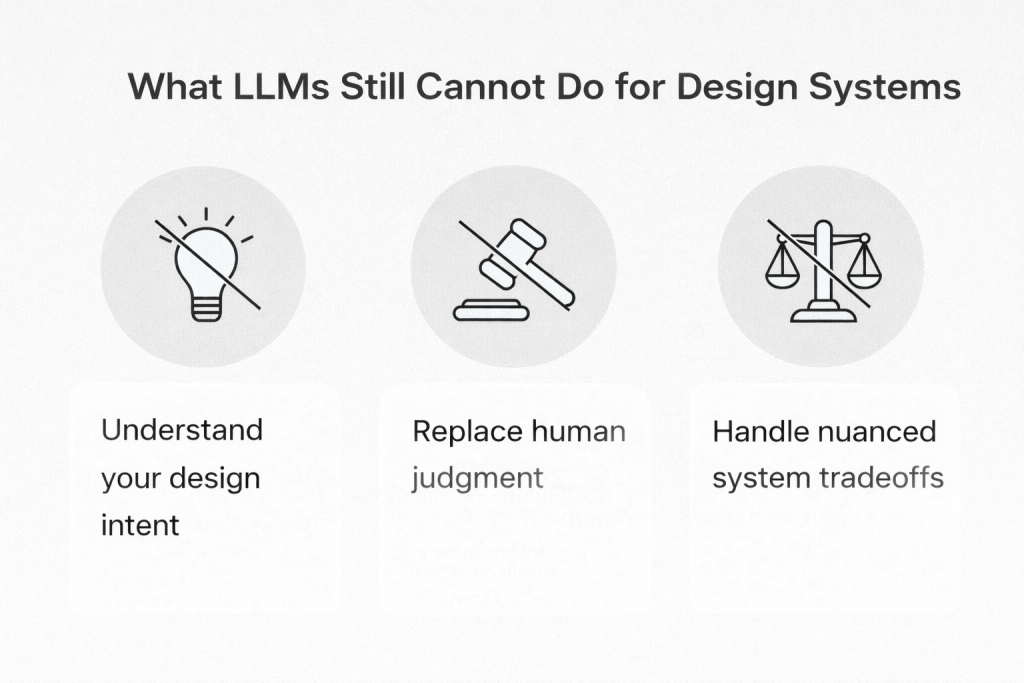
Despite the progress, it is important to be clear about limitations. LLMs do not understand your product the way your team does. They do not know why certain tradeoffs were made or how your users behave in edge cases.
They cannot replace human judgment, especially in areas like accessibility decisions, interaction philosophy, or system governance. Also, they struggle with nuance when multiple constraints conflict.
The most successful teams use LLMs to support execution, not to outsource thinking.
Why These Use Cases Matter More Than Flashy AI Demos
Design systems are not built on novelty. They are built on reliability. Teams trust systems that help them move faster with fewer surprises.
The most valuable LLM use cases focus on unglamorous work that keeps systems healthy. Refactors. Migrations. Alignment. Maintenance. These tasks rarely appear in demos but define real success.
By filling these gaps, LLMs strengthen the promise design systems have always made but often struggled to deliver.
How Design Systems Teams Can Start Using LLMs Today
The best way to begin is small and intentional. Start with migrations and maintenance tasks where rules already exist. Use LLMs inside tools your team already trusts, such as code editors or documentation platforms.
Measure success by time saved and clarity gained, not by novelty. If teams adopt updates faster and ask fewer clarifying questions, you are on the right path.
Avoid trying to automate judgment. Focus on accelerating execution.
The Future Role of LLMs in Design Systems
Over time, design systems may evolve from static references into collaborative workflows. Instead of documenting decisions after the fact, systems could actively support design and engineering conversations as they happen.
As interfaces become more dynamic and custom, systems will need to adapt. LLMs may help systems stay flexible without losing coherence.
Still, the fundamentals remain unchanged. Clarity, consistency, and trust matter more than automation.
Final Thoughts: Using LLMs to Strengthen the Promise of Design Systems
Design systems work has always been about bridging gaps: between design and engineering; between intent and implementation; and between change and stability.
LLMs do not magically solve these problems. What they do offer is leverage. They help teams deliver on promises that systems already make but struggle to maintain at scale.
The best use of LLMs today is not to generate more artifacts, but to keep systems reliable, aligned, and trustworthy as products grow.
That is where real value lives.