


Picture this. You open three different apps from the same brand, but something feels off. The buttons look different, the colors don’t match, and the icons seem unfamiliar. It feels disconnected, almost like three separate brands pretending to be one. That is where a design system steps in to bring everything together.
A design system is like the glue that holds a digital brand together. It defines how things look, feel, and work across every platform. From colors and typography to components and patterns, it gives teams a clear structure to design with confidence and consistency.
For designers and developers, a design system becomes a common language that saves time, reduces confusion, and keeps every project aligned. In this guide, we’ll explore what a design system really is, why it matters, and how teams can build one that grows with them using tools like UI Vault.
What Is a Design System?
A design system is a structured collection of guidelines, reusable components, and best practices that help teams create digital products with a consistent look and feel. Think of it as a living library that brings design and development together under one organized space. It defines how buttons, icons, colors, typography, and layouts should appear and behave across a brand’s digital experiences.
Unlike a one-time style guide or a static document, a design system evolves as your product grows. It serves as a single source of truth that ensures every new page, feature, or product extension matches the brand identity. This consistency builds trust with users and helps them recognize your brand instantly, no matter where they interact with it.
The beauty of a design system lies in how it bridges creativity with clarity. Designers no longer have to rebuild the same components from scratch, and developers can easily find ready-to-use assets that match the design language. The result is faster workflows, cleaner interfaces, and fewer inconsistencies.
For teams using UI Vault, a design system is more than just a framework; it becomes a smart, central hub for collaboration. UI Vault helps teams document every color, component, and guideline in one place, making it easy for everyone to stay aligned and design confidently together.
Why Design Systems Matter
A design system is more than a collection of reusable parts. It is the heartbeat of every digital experience your brand creates. When done right, it transforms scattered efforts into a streamlined workflow where creativity and consistency work side by side.
The first and most obvious benefit is visual consistency. Every color, button, and layout follows the same rules, so users instantly recognize your brand wherever they go. This builds trust and makes navigation feel natural. Without a design system, even small inconsistencies can confuse users or make your product feel less professional.
For teams, design systems save time and reduce repetitive work. Instead of recreating elements for every new project, designers can pull components from a shared library. Developers, on the other hand, can rely on standardized code that ensures every feature looks and functions the same across platforms. This harmony shortens development cycles and speeds up launches.
A design system also improves collaboration. It gives designers, developers, and product managers a common language. No more endless back-and-forth on colors, spacing, or fonts. Everyone knows exactly what is approved and why it matters.
From a business point of view, design systems cut costs in the long run by reducing design debt and making scaling easier. As your brand expands, the system grows with you, adapting to new features or platforms without losing consistency.
For teams using UI Vault, the impact is even more powerful. It brings your entire design system to life in one organized space, helping everyone stay in sync, maintain quality, and create experiences that feel cohesive and intentional every single time.
Core Components of a Design System

A design system is made up of several interconnected layers that work together to maintain structure and consistency across every design project. Each layer has its own purpose and contributes to creating a unified brand experience.
Design Principles
Every design system starts with clear principles. These are the guiding beliefs that shape all visual and interactive decisions. They represent your brand’s philosophy, such as clarity, accessibility, or simplicity, and help your team make design choices that stay true to your values.
Foundational Elements
These are the visual basics that define your brand’s identity. Elements like color palettes, typography, iconography, spacing, and voice set the overall tone. They ensure every product, web page, or mobile interface looks and feels part of the same brand family.
Component Library
The component library includes all the reusable UI elements like buttons, input fields, cards, and navigation bars. Each component comes with clear instructions for use, variations, and states. This helps teams design quickly while keeping interfaces consistent.
Pattern Library
Patterns show how components come together to form complete experiences. For example, how buttons, forms, and inputs combine to create checkout flows or dashboards. This library helps teams understand structure and maintain coherence across complex designs.
Design Tokens
Design tokens act as the bridge between design and development. They store key values like color codes, spacing, and typography styles in reusable variables, making it easy to apply consistent visuals across all devices and platforms.
Documentation and Governance
A strong design system always includes documentation that explains how and when to use each element. It helps new team members onboard faster and ensures the system evolves smoothly over time.
UIVault brings all these components together, letting teams manage, update, and collaborate within one organized platform.
When and How to Decide You Need a Design System
Not every team starts with a design system, but almost every growing team eventually realizes they need one. Knowing when to invest in it depends on the stage of your product, the challenges you face, and the goals you want to achieve.
Signs You Need a Design System
You may notice your product feels inconsistent. Buttons look different across pages, colors vary slightly, or typography seems off. These small mismatches might seem harmless at first, but they confuse users and weaken your brand identity.
Another sign is the time your team spends rebuilding the same components repeatedly. Designers and developers waste hours creating identical elements because there is no shared source of truth. This leads to longer project timelines and more room for human error.
If onboarding new team members feels complicated, a design system can help too. Clear documentation and reusable assets reduce training time and keep everyone aligned from day one.
The Right Time to Build
The best time to start a design system is when your product and team begin to scale. It could be after launching multiple features, managing several platforms, or expanding to new markets. That is when consistency and speed matter most.
How UI Vault Helps
With UI Vault, teams can start small by documenting existing styles and components in one place. Over time, they can evolve that foundation into a full design system, making it easy to maintain, update, and grow without losing brand harmony.
How to Build and Maintain a Design System
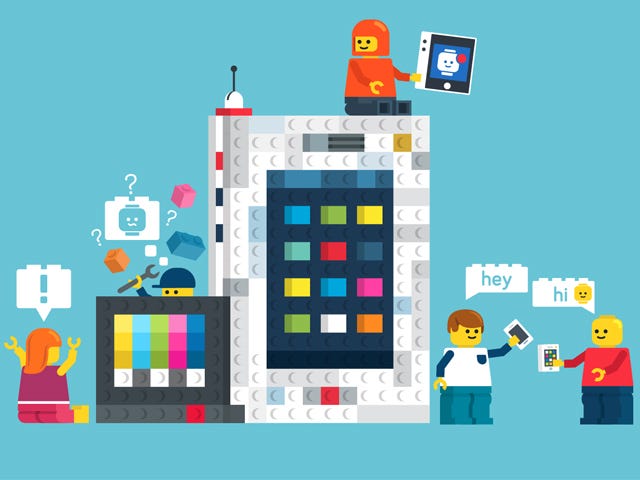
Creating a design system is not a one-time task. It is an ongoing process that grows and evolves with your product. Building it thoughtfully from the start ensures your team can scale efficiently while maintaining brand integrity.
Step 1: Audit What You Already Have
Start by reviewing your current designs, components, and assets. Identify duplicates, inconsistencies, and patterns that appear across projects. This audit gives you a clear picture of what to keep, refine, or replace.
Step 2: Define the Visual Language
Next, establish your brand’s core design language. Choose a color palette, typography, spacing system, and iconography that reflect your brand personality. These elements will become the foundation for all design decisions.
Step 3: Create a Component Library
Turn your most-used elements into reusable components such as buttons, input fields, and navigation bars. Each component should have detailed usage guidelines, interaction states, and accessibility notes.
Step 4: Document Everything
Documentation is the backbone of any design system. It helps new team members understand how to use components correctly and ensures long-term consistency. Every update or new addition should be clearly recorded and shared.
Step 5: Set Up Governance
A design system needs clear ownership. Assign team members to manage updates, approve changes, and review feedback. Governance ensures that the system remains relevant and consistent even as your team expands.
Step 6: Keep It Evolving
A design system is never complete. Continue collecting feedback from designers, developers, and users to refine it over time. As new products or technologies emerge, your system should adapt accordingly.
How UI Vault Makes It Easier
UI Vault simplifies the entire process by giving teams one central platform to create, document, and update their design system. From managing components and tokens to versioning style guides, UI Vault keeps everyone in sync and ensures your brand stays consistent across every project.
Overcoming Common Challenges in Building a Design System
Building a design system brings incredible benefits, but it also comes with its share of challenges. Understanding these early helps teams prepare for a smoother journey toward consistency and collaboration.
Managing Continuous Maintenance
A design system is never finished. It requires regular updates as products, technologies, and user needs evolve. Many teams struggle to dedicate time and ownership to keep it fresh. Setting up a clear maintenance plan and assigning responsibility ensures that your system stays relevant and useful.
Securing Team Buy-In
Convincing stakeholders to invest time and resources can be tough. Some may see it as slowing down immediate goals. The best way to gain support is by showing how the system saves time and improves quality in the long term. Share success stories, prototypes, or visual examples to prove its value.
Balancing Consistency and Creativity
Design systems sometimes get mistaken for limiting creativity. In reality, they free designers from repetitive tasks, allowing them to focus on innovation. The key is to define flexible rules that encourage experimentation while maintaining brand alignment.
How UI Vault Helps
UI Vault makes overcoming these challenges easier by centralizing everything in one place. It helps teams update, manage, and expand their design systems effortlessly while keeping collaboration open and productive.
The Future of Design Systems
Design systems are evolving fast, shaping the way teams build digital experiences across every platform. What started as simple collections of components has now grown into intelligent, adaptable ecosystems that power entire design operations.
Smarter and More Scalable
Modern design systems are becoming smarter with automation, design tokens, and real-time syncing between design and code. Teams can make one change to a color or component and see it instantly reflected across multiple platforms. This level of scalability helps brands maintain consistency even as they expand into new markets and devices.
Accessibility and Inclusivity
Future design systems will continue prioritizing accessibility. Built-in tools, contrast checks, and responsive components ensure that digital experiences are usable by everyone. A truly complete system does not just look beautiful, it works for all users equally.
Cross-Platform and Connected Tools
With the rise of new technologies, design systems now extend beyond web and mobile. They are being adapted for voice interfaces, smart devices, and immersive experiences.
UI Vault supports this future by helping teams create flexible, connected design systems that evolve alongside technology. It empowers teams to build with confidence today while staying ready for what comes next.
Conclusion
A design system is more than a toolkit — it is the foundation of a brand’s visual and digital identity. It keeps teams aligned, products consistent, and users confident in the experience they interact with. By organizing every element from colors to components in one structured space, design systems make creativity scalable and collaboration effortless.
For teams aiming to design smarter and faster, UIVault offers the perfect home for their design system. It turns scattered assets into a single source of truth, helping your team stay consistent, efficient, and ready to grow without losing the essence of your brand.